
So you’re a freelancer? Do you bill your clients by the hour or more precise? Of course you’re in dire need of a proper way to track the time you spent on a project so you can create an accurate invoice!
Here’s a list of time tracking software. Most are for Mac, but some are web-based so can you can use it on any operating system. Some feature built in invoicing, some are a bit simpler. Let’s just have a look, shall we?
1 Harvest
Time tracking is simple and lightning fast with Harvest. Set up takes seconds, and there’s nothing to install. We’ve simplified the timesheet and timesheets approval process so you can stay focused on work.
Harvest actually isn’t installable software: it runs right from your browser. This means it isn’t Mac-only and works on your PC as well.

2 Eon
We get it. You don’t need all the invoicing features, or other bloated features, just something that keeps track of your time. This app is for you!
Well, that quote pretty much sums it up: it’s a time tracking app for your Mac. The screenshot shows the entire layout =) I love it. The simplicity continues in the taskbar so can see the current (billable) time at all times.

3 Klok
Your time is your product. Every minute you spend working that goes unaccounted for is like giving away your product for free. Tracking your time accurately is essential to staying profitable.
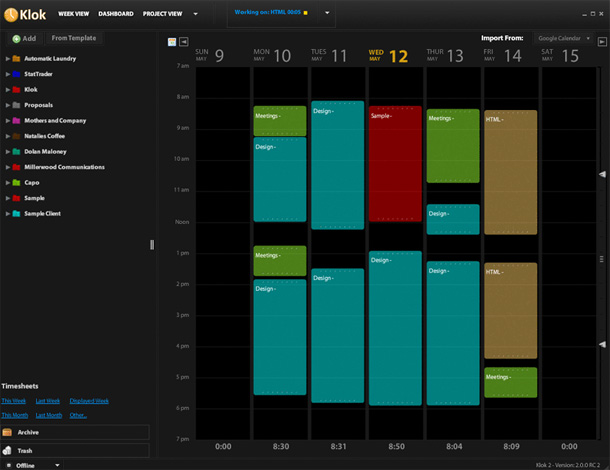
I guess this must be some Dutch or Belgian team of developers, as the word “Klok” is simply the Dutch word for “clock”. The desktop app has quite a sexy black look and there’s also a beta version of an Android app available.
4 TimeTracker
It’s free and it’s easy. TimeTracker is an open-source project still under development.
These are the main features:
- simple and clean UI
- easily record your time using project/task organization hierarchy
- timer that nags you when you have been idle
- CSV export
- system menu bar remembers list of recent tasks and allows quick start without activating the GUI
- comments!
- ability to edit and reassign entries to different tasks / projects (double click on a recording)
- prevent duplicate project / task names which can seriously screw up the database
- laptop standby mode detection
- filter your recordings by creating your own custom filters

5 1DayLater
1DayLater lets you keep an exact record of your activities and will give you confidence in your business, invoices and productivity.
Track your time, money and mileage, then use our reporting features to create invoices, mileage claims and visualise your activities.
Whether you freelance or run your own small business, tracking your time, mileage and daily cashflow is super important.


