
Although I’ve never seen any of these Google Street View vehicles myself, there are hundreds of them constantly driving (and walking, skiing, scuba-ing) around the globe to thoroughly map entire cities. Google even maps the inside of famous buildings, under water and in recreational parks.
If you’re wondering how they’re doing all this, check out the equipment they are using in this short list of 6 Google Street View Vehicles.
To begin I wanted to write some information about the Street View Camera equipment itself, but there is hardly anything to be found. All I found out is that the current equipment is the 4th generation of cameras, each generation bringing a clearer picture.
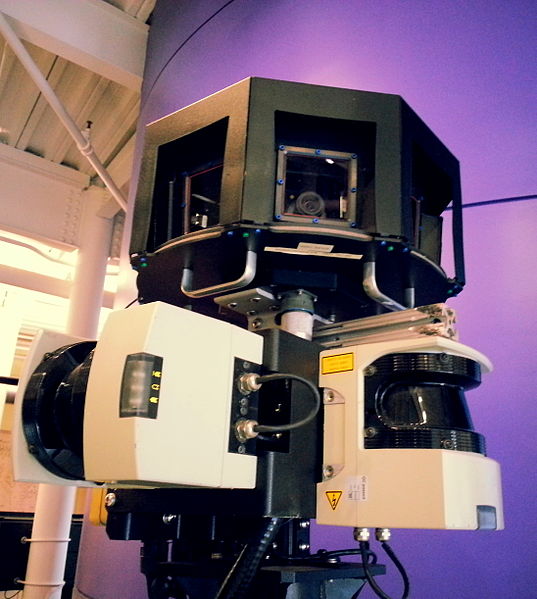
Let’s continue with the vehicles and equipment used to drive this huge camera around.
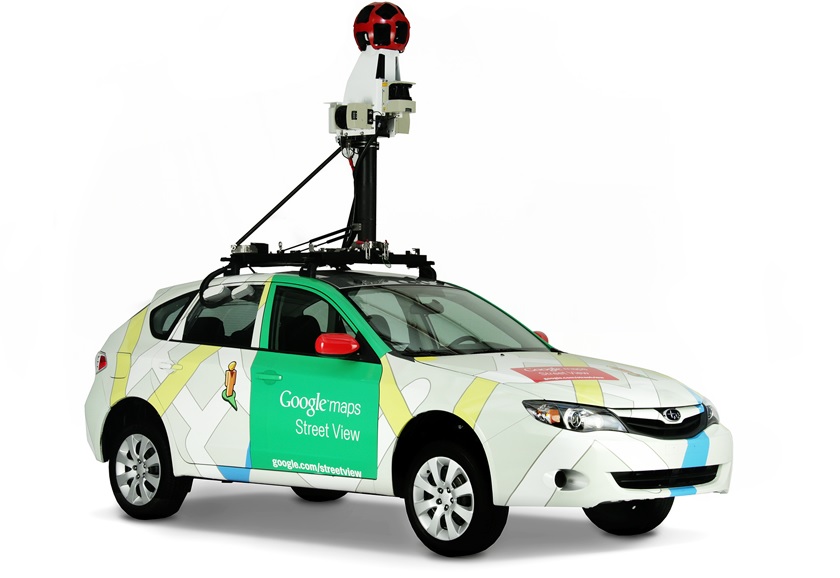
1Google Street View Car
The car is obviously used for the regular city streets. Camera installations can be made on anything from a small sedan to a large SUV for more adventurous roads.
2Google Street View Trekker – backpack
This interesting backpack is used by hikers and trekkers to cover places like the Grand Canyon, but also snowy terrains like ski pistes.

3Google Street View Trike – tricycle
This awesome bike can also be used for mapping cities’ footpaths, dirt roads, small alleyways and so on.

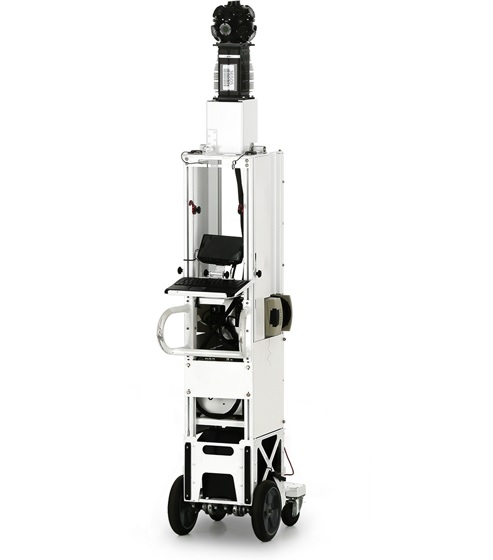
4Google Street View Trolley
Mostly used for locations such as The Metropolitan Museum of Art in New York, the Trolley is so thin that it can easily be pushed around sculptures and statues. Or it can simply do the painting watching for you.
5Google Street View Snowmobile
If skiing using the Trekker backpack isn’t going to cut it, this beast can help out. Antarctica here we come!

6Google Street View SVII mini-sub
Probably every diver’s dream, as this mini-sub not only maps 3D images of underwater beauty, but it also does the swimming for you at 3km/hr.


Have you ever seen any of these vehicles/devices?
You Might Also Like

Top 4 Xbox 360 and PS3 Media Streamers for Mac
So you don’t own an advanced media player with seperate hard disc, but you have an Xbox 360 and a Mac? Well that’s currently my story and I’ve been looking around a bit for some proper ways to stream (high definition) media to my TV through UPnP software. Here’s a list of what I’ve come Read more

6 iPad 2 Specifications and Features Rumors
Skip the rumors: jump straight to the latest 6 Greatest Improvements and New Features of the iPad 2 article (March 2nd, 2011)! After the iPhone 5 rumors, a proper iPad 2 rumor list was bound to be posted. There are some reasonable ideas out there, but none of them have been acknowledge by Apple. Actually, Read more

3 Awesome Ways To Customize Mac OSX
Let’s face it: there’s not a lot to customize on the Mac ever since OSX Leopard was released in 2007. But sometimes I do like to try out some new looks. Some people have found ways to do this anyway and wrote some nifty software. Here’s a (very short) list of customization applications that can Read more

5 Best Mail Clients for Mac
Mac’s OSX has an excellent e-mail client, but sometimes it’s nice to change a little. Here’s a list of e-mail clients for your Mac. Some are free, some are not, find out below! Click the screenshots to go to the software’s website. 1 Sparrow Beta Price: Free Currently this is my favorite mail client: clean, Read more